- Sampler & vocoder
- Adding samples via Wooveconnect
- Levels, VU Metering & monitoring
- Sampling sounds from the audio input
- Skip-back sampling (resampling)
- Vocoder
- Working with slices
- Auto-slicing
- Real-time pitch and time warping
- Amen chop tutorial
- Multi-sampled instruments and percussion
- Using the two sample banks
- Using samples and kits in your songs
- Using single-cycle AKWF samples
- Using Amiga Tracker samples
- Using Teenage Engineering OP-1 / OP-Z sample kits
- Kit and/or master sample initialization
- Backing up sample kits
- Auto-space reclaimer
- Limitations
- Amen chop tutorial
- Auto-slice with full playthrough
Auto-slice with full playthrough
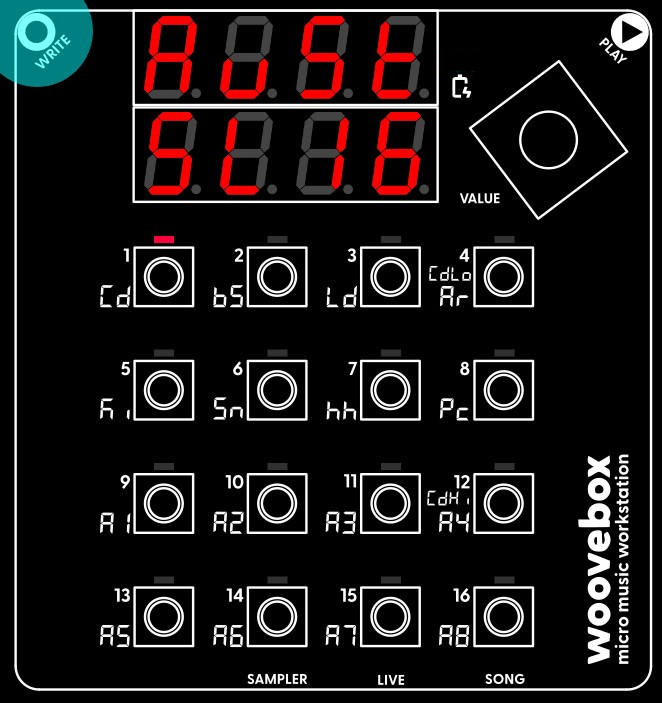
We start off with slicing the one master sample into multiple (sixteen in this case) evenly spaced slices. The goal is to be able to trigger these bits of the master sample at will.
Your Woovebox has two different auto-slicing modes. The one we will be using for chopping the Amen break, is "even slicing" ('EvEn' in the context menu). Notably we will be using the "full playthrough" option (any of the sub-options that end in '>>'). This will chop up the chosen (e.g. slow-blinking) slice (in this case our master sample) into a specified number of evenly spaced slices, which all play through to the end of the master sample. This is in contrast to the regular (non '>>' options), which just play slices up until where the next slice starts. You can of course always change the start and end-points of your slices manually if you so wish.
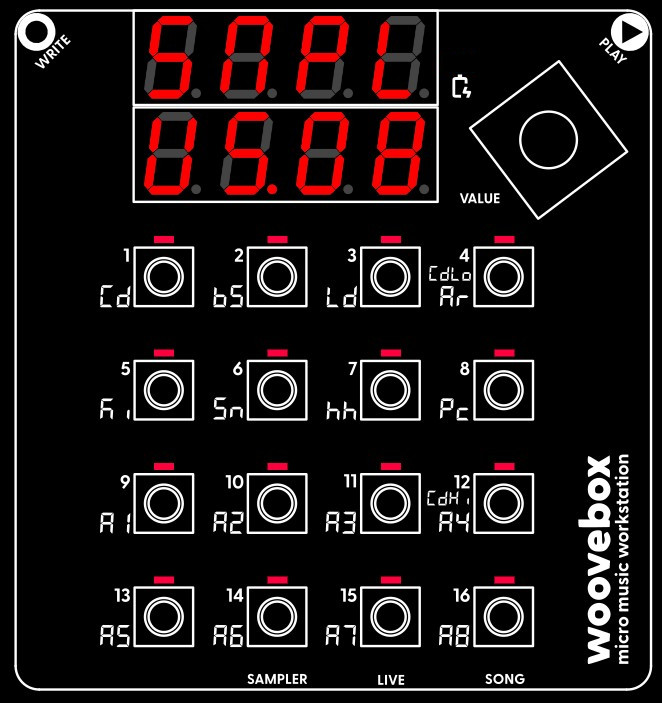
Now go ahead and action the 'EvEn' option and its '16>>' sub-option in the context menu.
You may also be interested in...
- Good Ol' Days Song SYX (under Download 3.0 example songs and patches .SYX)
- 14. L.1.de LFO2 depth (under Amplitude page)
Specifies the strength by which the LFO should affect the filter.
- vi-IV-I-V (under Popular chords)
This chord progression is also quite common and is often used in pop, rock, and folk music.
- i-bVII-bVI-V ("Andalusian Cadence") (under Popular chords)
You can press the 2/bs for A minor, 1/Cd for G major, 8/Pc for F major, and 7/hh key for E major.
- 6. P.2.Pn Pitch to Pan (under Panning & EQ page)
Use note pitch as in input for placing voices in the stereo field.
- Sampler & vocoder
- Adding samples via Wooveconnect
- Levels, VU Metering & monitoring
- Sampling sounds from the audio input
- Skip-back sampling (resampling)
- Vocoder
- Working with slices
- Auto-slicing
- Real-time pitch and time warping
- Amen chop tutorial
- Multi-sampled instruments and percussion
- Using the two sample banks
- Using samples and kits in your songs
- Using single-cycle AKWF samples
- Using Amiga Tracker samples
- Using Teenage Engineering OP-1 / OP-Z sample kits
- Kit and/or master sample initialization
- Backing up sample kits
- Auto-space reclaimer
- Limitations