- Full documentation, guide and tutorial
- Learning the Woovebox
- The very basics
- Quick start tutorial
- Tempo and BPM
- Tracks
- Patterns
- Live pattern recording
- Conditional triggering and modification
- Chords
- Arpeggios
- Scales and modes
- Genres
- Patches and Presets
- Sound design
- DNA dynamic patch cross-breeding
- Paraphonic parts
- Multi-instrument mode
- Risers, fallers, sweeps & ear candy
- Live mode
- Song mode
- Full song writing
- Sampler & vocoder
- Mixing & Mastering
- Lo-fi & vintage analog and digital emulation
- Randomization
- Hall effect sensor playing
- Advanced techniques
- Undo
- Boot modes
- Connecting other gear; MIDI, Sync, and audio pass-through
- Remote control expander mode
- Wireless MIDI over Bluetooth
- Connecting Bluetooth typing keyboard/touchpad
- Battery and charging
- Hardware quirks and limitations
- Understanding DSP load
- Looking after your Woovebox
- Firmware updates
- The very basics
- Booting up
Booting up
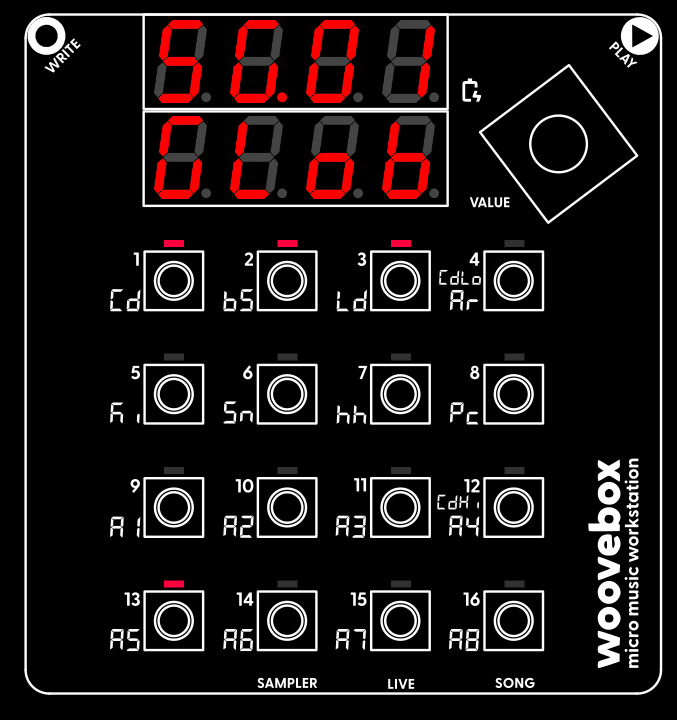
Switch on your Woovebox without touching the write or play touch buttons (as their sensitivity is calibrated during power-on). A short wake-up sequence follows.
The length of the full boot sequence may vary depending on the amount of housekeeping your device needs to do, but should be in the range of ~2 seconds for normal operation. Boot-up after a firmware update/reset may take longer. In longer cases (up to 2 minutes), the letters "W O O V E B O X" will scroll past until the device is done.
A number of special boot modes are available by holding special 1-16 key combinations during power-on; please see "boot modes".
You may also be interested in...
- Documentation
- 5. Pan Static Stereo Panning Position (under Panning & EQ page)
Specifies where in the stereo field the the primary (static) placement of voices should.
- Global Send Multi-effects (under Sound design)
The song-wide global multi-effects can be configured on the Song's FX page.
- Oscillators (under Sound design)
- Low Frequency Oscillators (LFOs) (under Sound design)
A hold time (in milliseconds) may be specified to sample & hold the LFO for the specified duration.
- Full documentation, guide and tutorial
- Learning the Woovebox
- The very basics
- Quick start tutorial
- Tempo and BPM
- Tracks
- Patterns
- Live pattern recording
- Conditional triggering and modification
- Chords
- Arpeggios
- Scales and modes
- Genres
- Patches and Presets
- Sound design
- DNA dynamic patch cross-breeding
- Paraphonic parts
- Multi-instrument mode
- Risers, fallers, sweeps & ear candy
- Live mode
- Song mode
- Full song writing
- Sampler & vocoder
- Mixing & Mastering
- Lo-fi & vintage analog and digital emulation
- Randomization
- Hall effect sensor playing
- Advanced techniques
- Undo
- Boot modes
- Connecting other gear; MIDI, Sync, and audio pass-through
- Remote control expander mode
- Wireless MIDI over Bluetooth
- Connecting Bluetooth typing keyboard/touchpad
- Battery and charging
- Hardware quirks and limitations
- Understanding DSP load
- Looking after your Woovebox
- Firmware updates